
Free & open source·Apache-2.0·macOS · Windows · Linux
The world's first full-featured open-source AI Office suite.
Word, Excel, PowerPoint and PDF files — edited by you and your AI, saved back in the real formats.

Free & open source·Apache-2.0·macOS · Windows · Linux
Word, Excel, PowerPoint and PDF files — edited by you and your AI, saved back in the real formats.
Why OneDesk
Not a chat box bolted on the side: an editor that reads the document, makes the change, and shows you exactly what it touched.
Only what you edit is rewritten. Everything else in the file survives byte-for-byte, so documents keep working in Word, Excel and PowerPoint.
Edits land as tracked changes and diffs with one-click rollback. Spreadsheets get live formulas, not pasted numbers.
Hide a passage or a cell range from the model — it sees a named placeholder while the words stay in your file.
Files open, edit, save and convert on your machine. PDF → Word and Markdown → HTML all run on-device; only the AI calls leave, to the provider you choose.
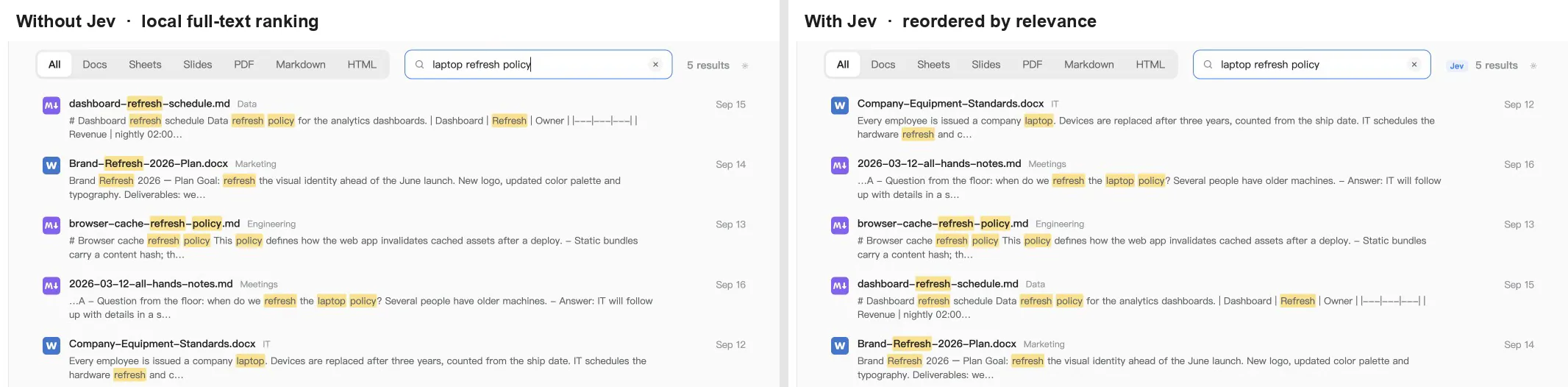
The home screen searches names, folders and the full text of your documents — not just titles.
Docs, Sheets, Slides, PDF, Markdown and HTML editors live in one window, one file system, one AI panel.
The editors
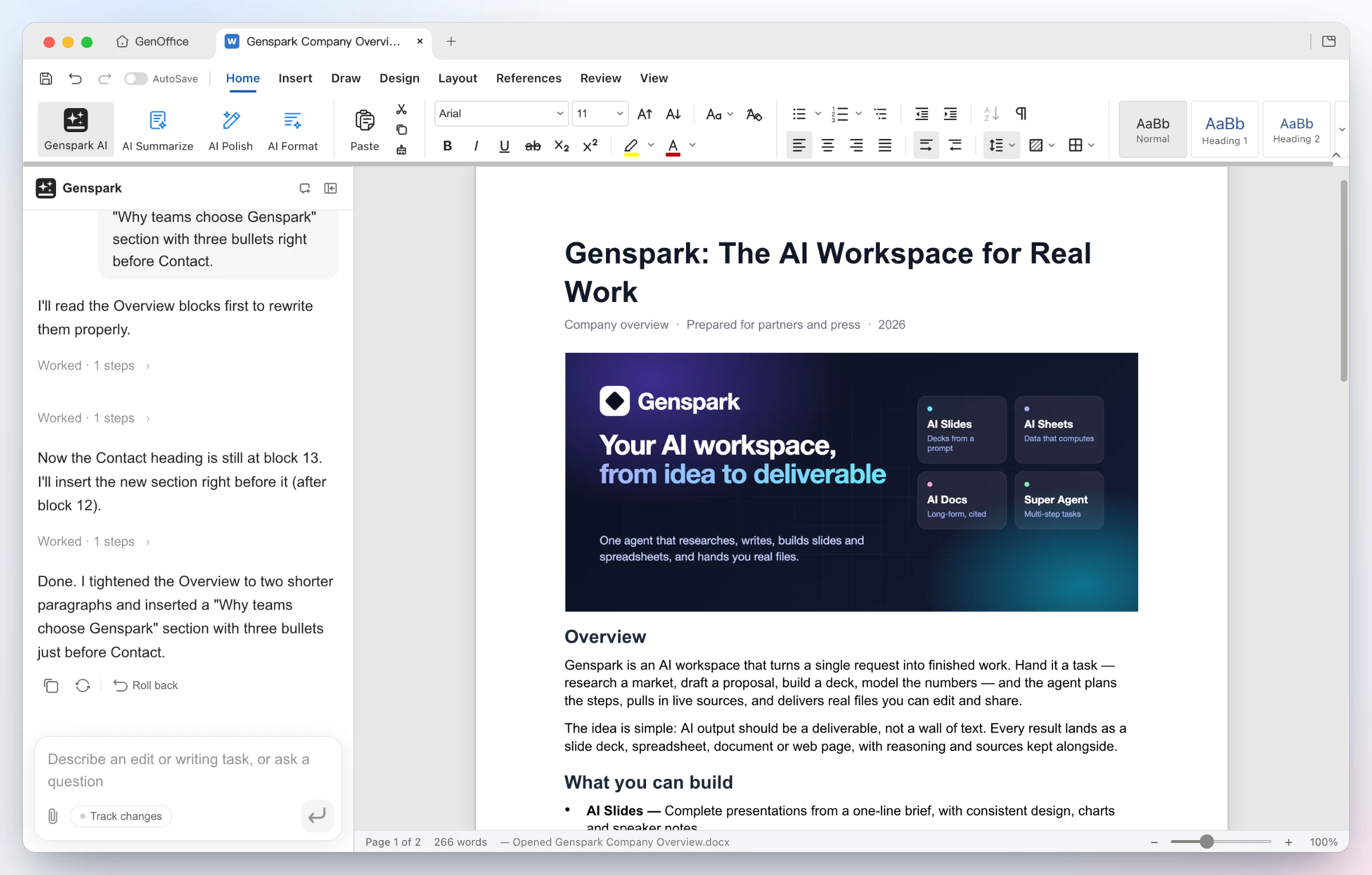
Docs
Native .docx down to headers, footers and protected ranges. Proofreading and rewrites arrive as tracked changes and inline diffs you can accept or reject, one click at a time.
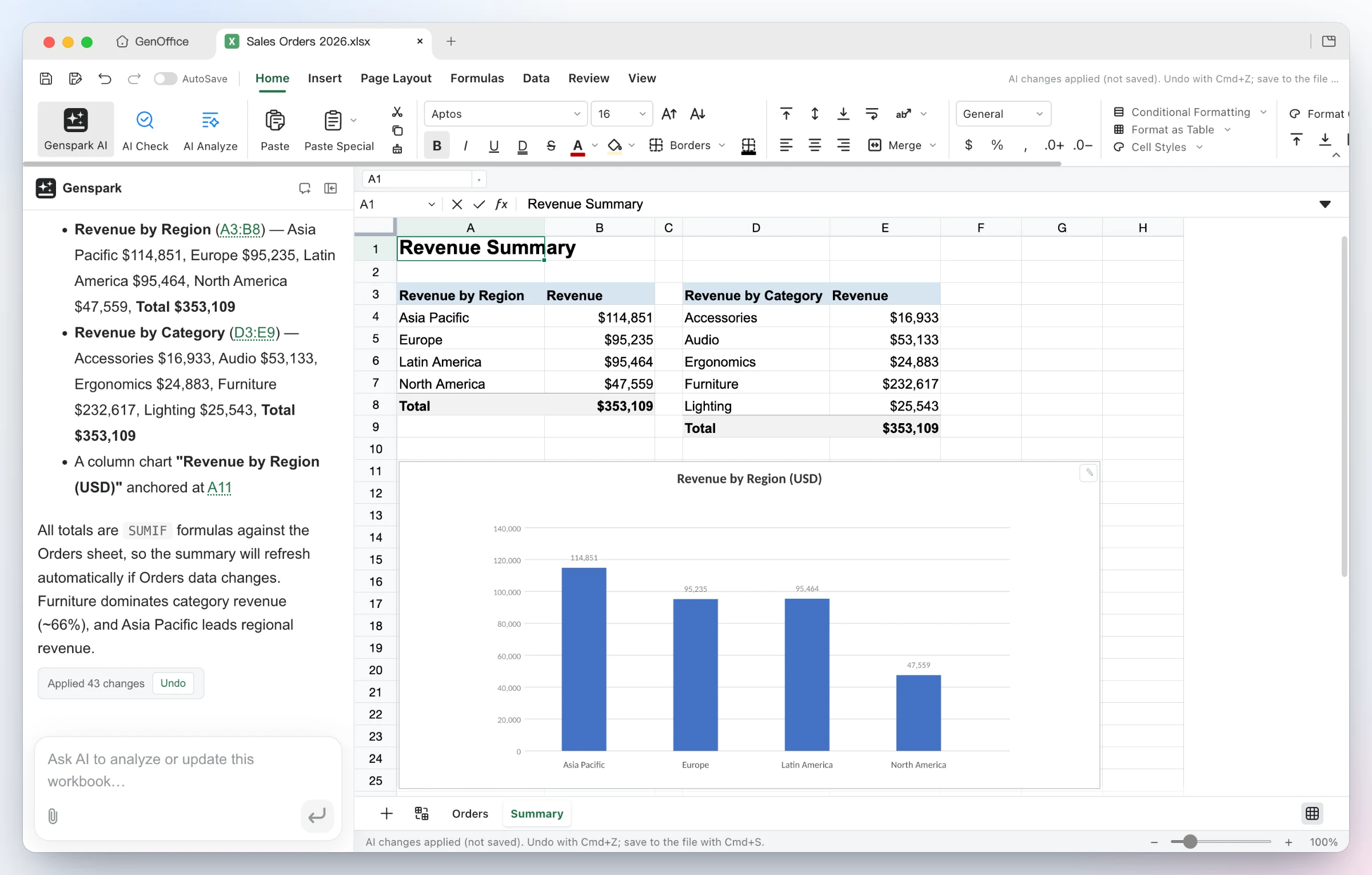
Sheets
Ask for an analysis and the AI writes real formulas into real cells. Charts, formatting and conditional rules stay editable after it is done.
Slides
Prompts build real .pptx slides: text boxes, layouts and images you can keep editing, not flattened pictures.
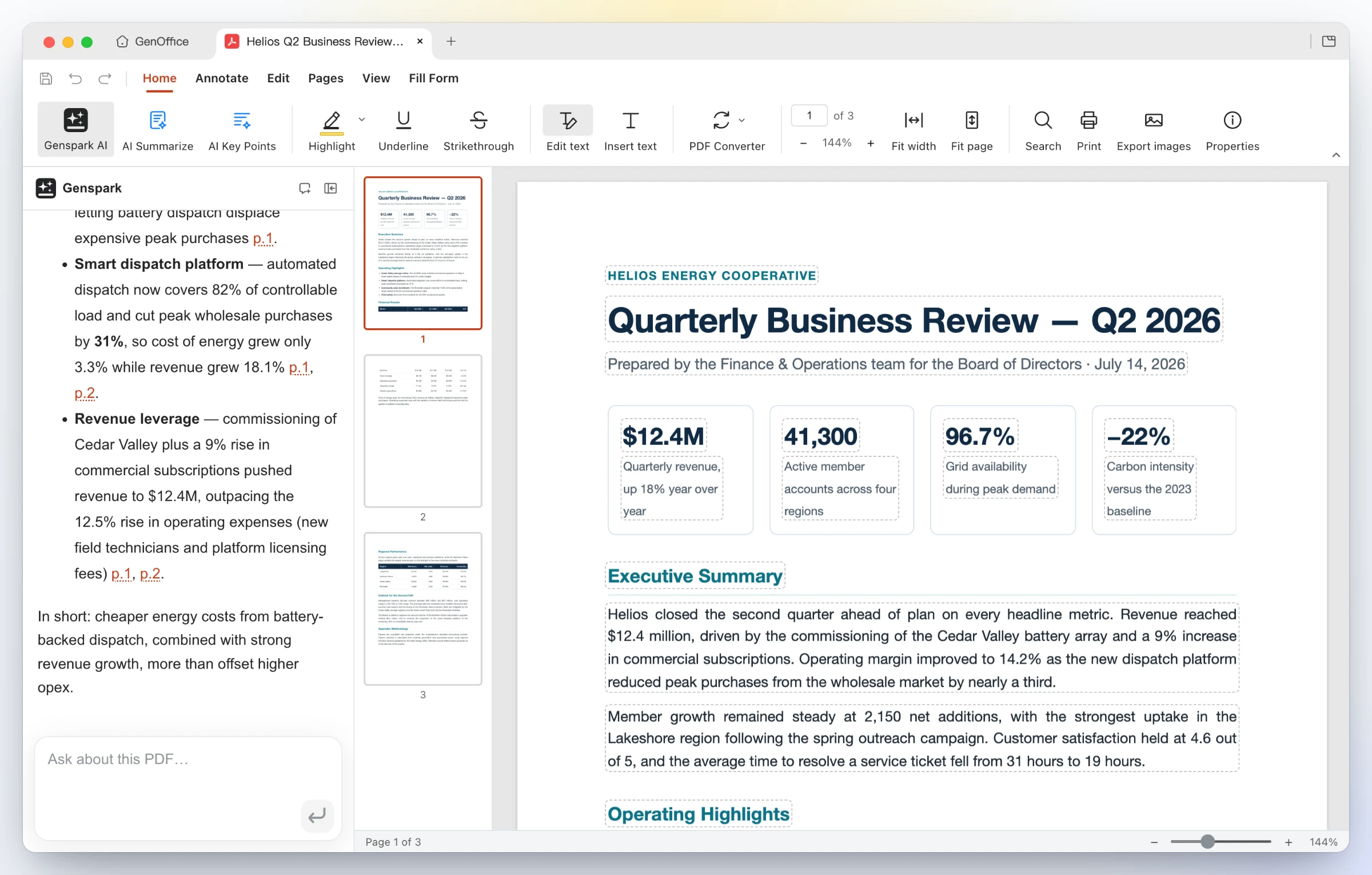
Direct PDF editing plus PDF → Word / Excel / PowerPoint conversion, all done locally with no upload.
Markdown & HTML
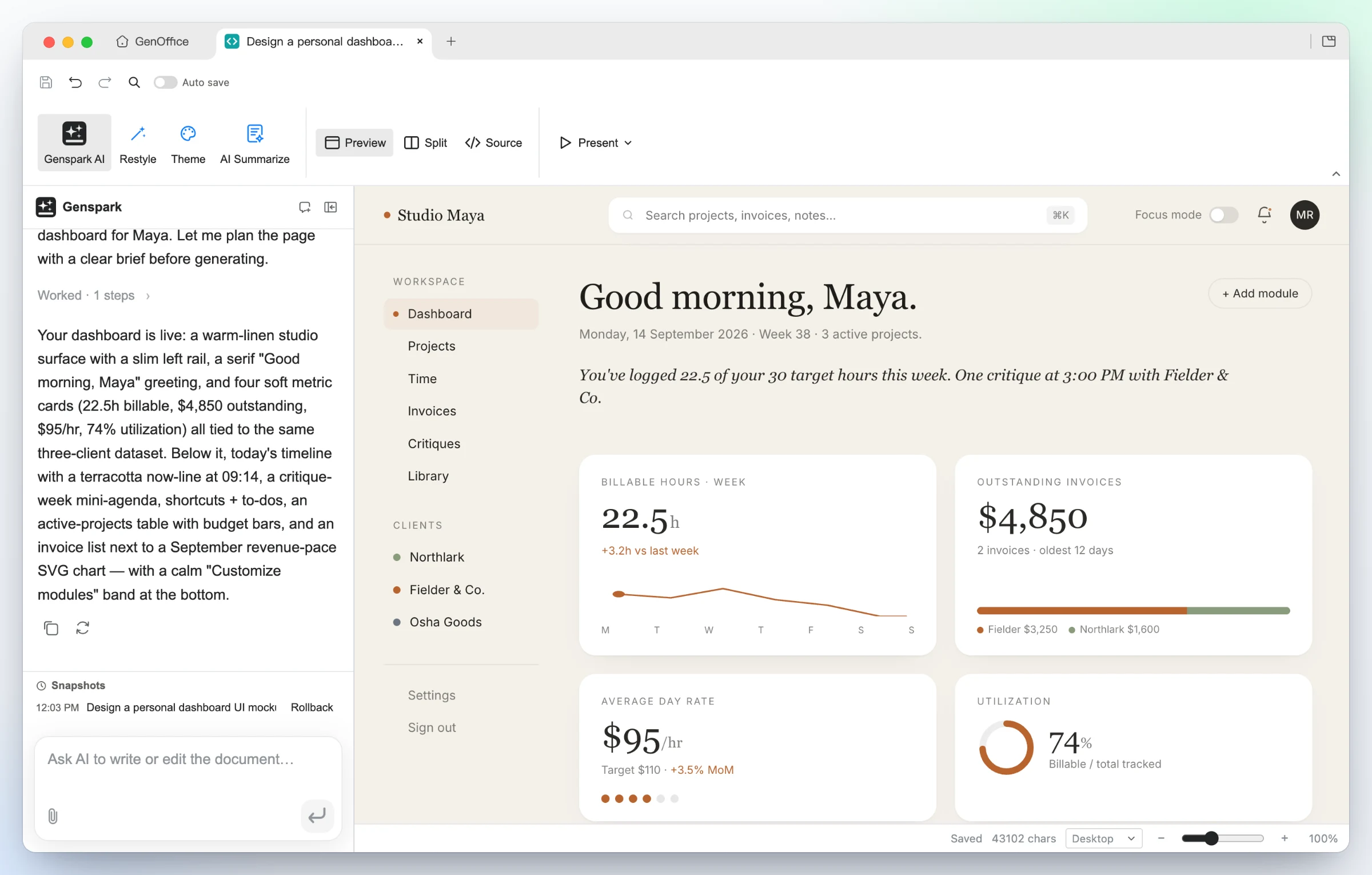
Markdown and HTML open as first-class documents: AI restyling, report generation and HTML → Word conversion all in the same desk.
Search
Full-text search across .docx, .xlsx, .pptx, PDF and Markdown — results point straight into the paragraph that matched.
Agent-native
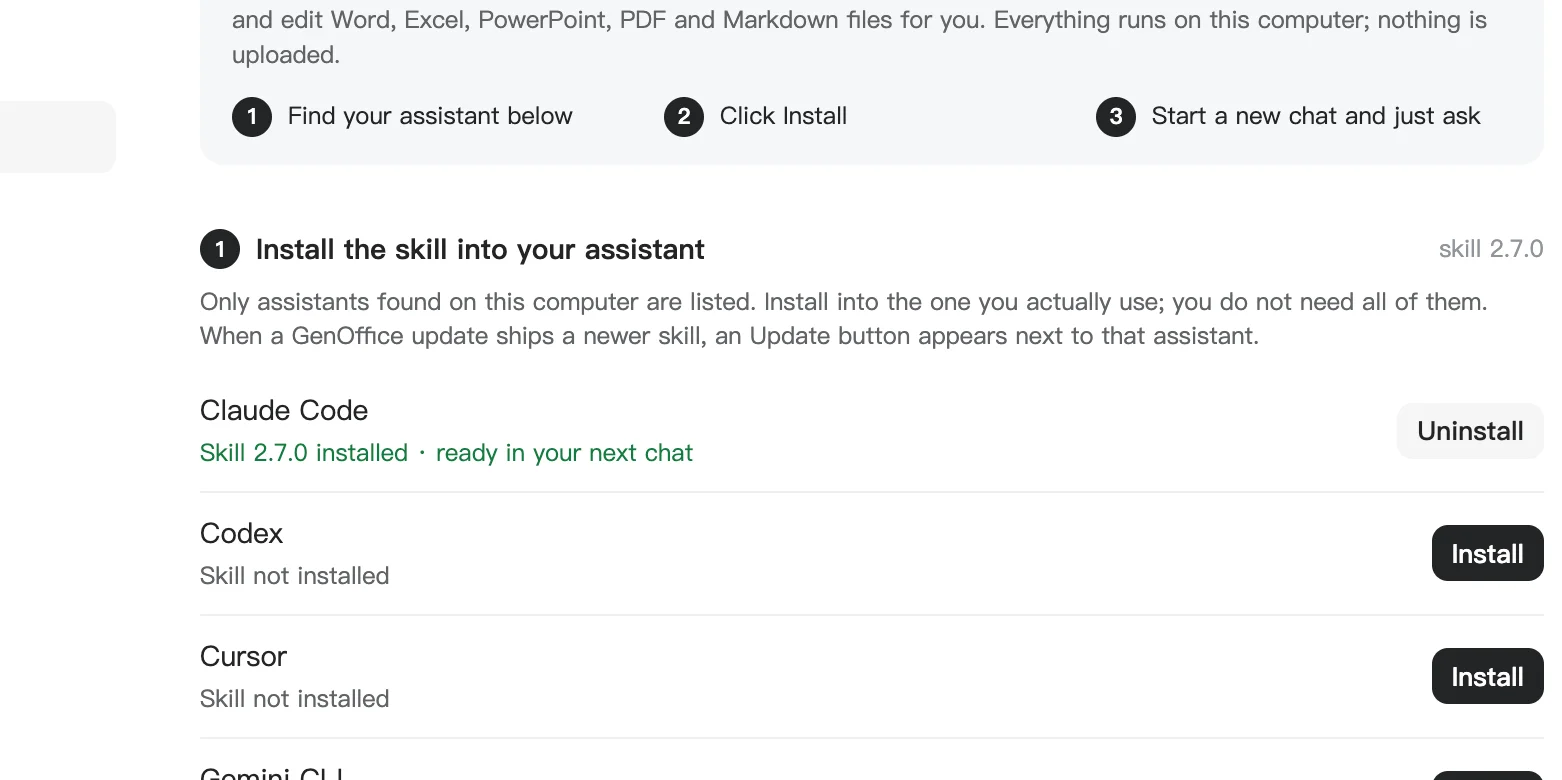
OneDesk ships a command line, an MCP server and a headless export path, so agents and scripts get the same fidelity as the GUI.
Convert, merge and export from the shell: onedesk convert a.docx --to pdf
Point any MCP-capable agent at the desk to open, edit and save documents as a tool surface.
Byte-accurate document pipelines for CI — same engines as the desktop, no window needed.
Download
Latest release —
Downloads open the GitHub release page and pick a build that matches your machine. In mainland China, use the AtomGit mirror for the same builds. OneDesk is free and open source — no account, no telemetry by default.